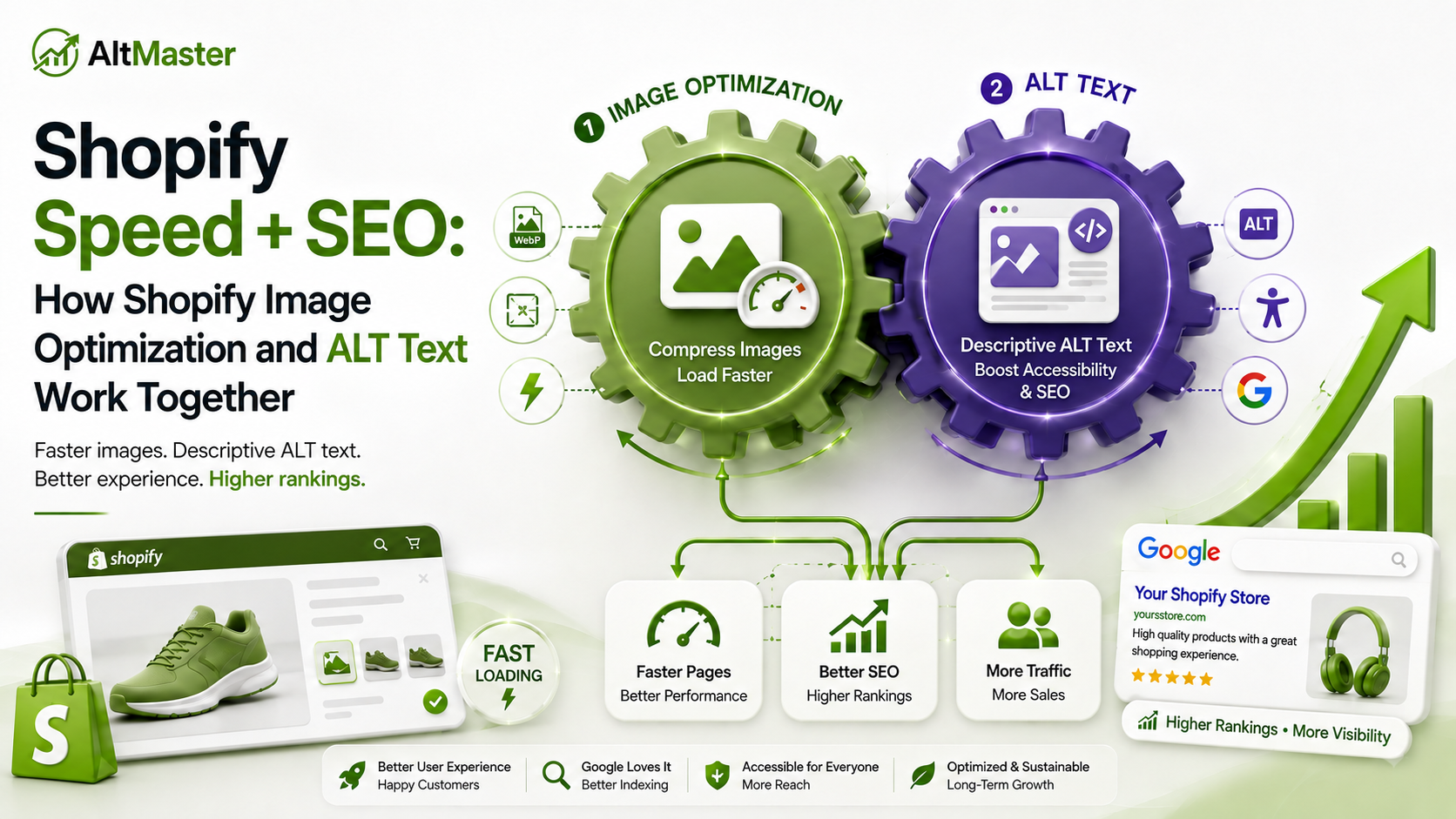
Most Shopify speed guides and most Shopify SEO guides are written as separate topics. Speed optimization sits in one tab. ALT text sits in another. The two get treated as unrelated problems with unrelated fixes.
They aren't. A product image that loads in four seconds is already hurting your ranking before Google even reads the ALT text. An image that loads in half a second but has no ALT text is invisible to image search entirely. Speed and image metadata aren't competing priorities. They're two halves of the same signal. That overlap is exactly why Shopify image optimization has become one of the highest-leverage fixes available to store owners in 2026.
This guide covers how they work together and how to get both right at the same time.
Why Speed and SEO Are No Longer Separate Conversations for Shopify Stores
In 2026, Core Web Vitals play a direct role in SEO and whether your store ranks or gets buried. If your site fails them, your rankings are limited before content can even compete. That's not a future concern. It's the current ranking environment, and product images are the primary driver of Core Web Vitals failures on most Shopify stores, which is why Shopify image optimization sits at the center of any real Shopify SEO optimization effort.
Shopify stores that load in under two seconds have 2.5 times higher conversion rates than those that load over five seconds, and 70% of consumers say slow website speed reduces their willingness to buy online. Speed affects rankings and it affects revenue simultaneously, which means fixing it is one of the few optimizations that pays off in both channels at once - a hallmark of solid Shopify speed optimization.
The connection to ALT text is less obvious but just as real. Google evaluates product pages as complete systems: the copy, the image quality, the load speed, and the image metadata all contribute to the same relevance score. A fast page with blank ALT text sends an incomplete signal. A page with strong ALT text and a four-second load time sends a frustrated signal. Getting both right together is where the compounding advantage lives.
How Heavy Images Are Silently Killing Your Shopify Rankings
Core Web Vitals and What They Actually Mean for Your Store
Core Web Vitals are the three performance metrics Google uses to evaluate page experience as a ranking factor. Largest Contentful Paint measures when the main content loads, with an ideal LCP of 2.5 seconds or less. Cumulative Layout Shift measures visual stability and should score 0.1 or less. Interaction to Next Paint measures responsiveness and should be 200 milliseconds or less.
For product pages, LCP is almost always determined by the hero product image. If that image is large, uncompressed, and loading from a slow source, your LCP fails before anything else on the page is evaluated. E-commerce sites with poor Core Web Vitals saw measurable ranking drops after Google's March 2025 core update, while stores that passed all three metrics gained visibility, making CWV optimization one of the highest-ROI activities in 2026.
75.22% of Shopify websites pass Core Web Vitals, nearly double WordPress's 43.44% pass rate, because Shopify's infrastructure handles CDN delivery and automatic WebP conversion out of the box. But that platform advantage disappears the moment you upload uncompressed images, because Shopify converts from your original file. A 6MB JPEG converted to WebP is still a bloated source.
The Real Cost of Uncompressed Product Images
Image compression alone accounts for 1 to 3 seconds of load time savings and is the highest-impact optimization for most Shopify stores, delivering 60 to 80% of the total available speed gain. That's not a marginal improvement. For a store where the current mobile LCP is sitting at 4.2 seconds, compression alone can bring it under the 2.5-second threshold that separates passing from failing Core Web Vitals. This is the core argument for prioritizing Shopify image optimization above almost every other speed fix, and it's why Shopify SEO optimization strategies increasingly start with image compression rather than keyword research alone.
The cost of failing isn't just rankings. A site loading at 3.5 seconds converts at 2.9%, while the same site at 1.5 seconds converts at 4.2%, a 45% conversion difference driven purely by speed. Every uncompressed product image on your collection pages is carrying this cost silently, across every visitor who hits that page on mobile.
Image Optimization: The Right Way to Compress Without Losing Quality
WebP vs JPEG vs PNG: Which Format Wins for Shopify
The format question has a straightforward answer for most stores, and it's the first practical step in Shopify image optimization for any catalog size. Upload JPEG for all product photography and PNG for logos and anything with a transparent background. Shopify automatically converts uploaded JPEG and PNG files to WebP and serves them to browsers that support it, which covers the vast majority of modern devices. Next-gen formats like WebP deliver comparable quality at significantly smaller file sizes compared to JPEG and PNG.
What Shopify doesn't do is compress your source file before conversion. If you upload a 5MB JPEG, Shopify generates a WebP from a 5MB starting point. Compress your source images before uploading using TinyPNG or Squoosh, both free and capable of reducing file size by 60 to 80% without visible quality loss. The compression happens before the file touches Shopify, which means Shopify's WebP conversion starts from a lean source instead of a bloated one.
The Ideal Image Size and Resolution for Product Pages
The target for product images is 2048 x 2048 pixels at under 200KB after compression. That combination gives you enough resolution for zoom functionality on product pages while keeping the file small enough to load fast on mobile. For collection page thumbnails, Shopify renders them at a much smaller display size, but it still loads the full resolution image unless you define explicit dimensions in your theme. Setting width and height dimensions on all images in your theme prevents layout shifts that contribute to CLS failures and also helps the browser allocate space before the image loads, which improves perceived performance.
For every image type across your store, the AltMaster Shopify image size guide for 2026covers the exact dimensions and compression targets for hero banners, collection headers, blog images, and product photos in one reference so you're uploading the right size from the start rather than fixing it after the fact.
Where ALT Text Fits Into the Speed and SEO Equation
How ALT Text Reinforces What Optimized Images Signal to Google
A fast-loading image is a technical signal. A well-written ALT text is a relevance signal. Google needs both to evaluate a product page confidently, which is exactly why Shopify image optimization and ALT text should never be handled as separate tasks, and the two signals work together rather than independently.
When Google crawls a product page, it reads the image file name, the ALT text, and the surrounding copy in sequence. If those three layers use consistent, specific language describing the same product, the page's relevance score for that product's search queries increases. If the image loads in 0.8 seconds but the ALT text field is blank, the product image becomes invisible to Google Images entirely regardless of how fast it loaded, and that's a gap in your image search visibility that fast loading alone can never fix.
The formula for ALT text that reinforces your optimized images is the same one that works for organic search: product name plus color or material plus view or context, written as one natural sentence. Getting the format right across every image type, including hero shots, detail images, variant swatches, and lifestyle photography, is covered in the AltMaster guide to writing SEO-optimized ALT text for Shopify product images with ready-to-use templates alongside examples for every product category.
Once your images are compressed and loading fast, AltMaster scans your full catalog for missing or low-quality ALT text and generates descriptions in bulk using your actual product data variables, product title, color, material, and variant, so every image gets a specific description that reinforces the speed work you just did. Fast images with strong ALT text send a complete, coherent signal to Google. Fast images with blank ALT text send half a signal.
The Fast-Store Checklist: Speed and Image SEO in One Pass
Work through this list in order, since combining Shopify speed optimization with ALT text fixes is what separates stores that rank from stores that don't. The speed fixes come first because a slow page limits how much credit Google gives to the content signals above it.
Compress all product images before uploading - the single most important step in Shopify image optimization for any store. Use TinyPNG or Squoosh to bring every source image under 200KB. Do this before the image goes into Shopify admin, not after, because Shopify converts from your original file.
Set explicit image dimensions in your theme. If your theme allows it, define width and height attributes on image wrappers to prevent CLS layout shifts. Most Online Store 2.0 themes handle this natively, but check your CLS score in Google Search Console's Core Web Vitals report to confirm you're passing.
Audit your installed apps. Each additional Shopify app adds approximately 150 to 300 milliseconds to your LCP. Open your admin and remove any app that isn't actively contributing to revenue. This is consistently the second highest-impact speed fix after image compression.
Enable lazy loading on below-the-fold images. Most modern Shopify themes implement the native loading="lazy" attribute by default. Confirm your hero image and the first row of product thumbnails are excluded from lazy loading so they load immediately on page visit.
Run your top five product pages and top three collection pages through Google PageSpeed Insights. Not your homepage, which will score differently. Collection pages carry the most image weight and are where speed problems consistently hide.
Audit your ALT text coverage. Export your product CSV from Shopify admin and check the Image Alt Text column for blank fields. For a store-wide audit that catches collection images and theme assets too, the Shopify SEO audit checklist for finding and fixing every image issue on your store walks through the full process, including how to prioritize what to fix first.
Fix ALT text at scale. Once you know where the gaps are, fill them systematically. Manual editing is realistic for stores. For larger catalogs, AltMaster handles the bulk generation in one session and keeps new products covered automatically.
Conclusion
Speed and image SEO aren't separate conversations, and they shouldn't be treated as separate projects. A compressed, fast-loading image that has no ALT text is invisible to image search. A well-labeled image that loads in four seconds is penalized before Google reads a word of the page. Getting both right together is what makes a product page send a complete, confident signal that Google can rank and reward, and it's the essence of effective Shopify image optimization going forward.
Compress before you upload. Set your dimensions. Audit your apps. Write specific ALT text for every image. Run the checklist once properly, build the habits for new products going forward, and the compounding effect across a full catalog is real and measurable.
FAQs
Does image compression directly affect Shopify SEO rankings?
Yes, through Core Web Vitals. Image compression directly improves LCP, which is one of the three Core Web Vitals metrics that Google uses as a confirmed ranking factor. Stores that pass Core Web Vitals on mobile consistently outrank comparable stores that fail them, and image compression is the single highest-impact fix for most failing stores, making it a cornerstone of any broader Shopify optimization plan. The indirect effect on conversions, through faster load times on mobile, also affects engagement signals that Google factors into ranking.
How do I check if my Shopify store has a page speed problem?
Run your top product and collection pages through Google PageSpeed Insights and check the mobile score specifically. A score between 60 and 80 on mobile is healthy for a real store with apps and product photography. Below 60 is a problem worth fixing. Then check Google Search Console's Core Web Vitals report for field data from real users, which Google actually uses for ranking rather than the lab-based PageSpeed score.
Can fixing ALT text improve my Core Web Vitals score?
Not directly. Core Web Vitals measure load speed, visual stability, and interactivity, none of which are affected by ALT text. But ALT text and Core Web Vitals both contribute to how Google evaluates a product page, and fixing both together produces a compound effect that neither fix achieves alone. A page that passes Core Web Vitals and has complete, specific ALT text across all images is sending a stronger overall signal than one where only half the equation is solved.