If you've done the usual SEO work - meta titles, product descriptions, sitemap submitted - and traffic is still flat, there's a good chance your image SEO is the quiet culprit. It's the part of Shopify SEO that rarely gets audited properly, and the issues compound silently across hundreds of product pages without a single warning in your admin.
This checklist walks through every image issue worth finding, in the order that makes the most sense to fix them.
Why Image Issues Are the Most Overlooked SEO Problem in Shopify Stores
Most SEO audits focus on content and backlinks. Images get a quick pass - "Do we have ALT text? Roughly yes? okay moving on" - and that's where the gap lives.
The reality is that a Shopify store with 200 products and 5 images each has 1,000 individual image touchpoints. Each one is either a signal Google can read or noise it has to ignore. Missing ALT text, generic file names, uncompressed uploads, unlabeled variant images - these aren't small oversights. At scale, they're a meaningful drag on how Google evaluates your entire catalog.
The good news: image issues are fixable. Once you know where they are.
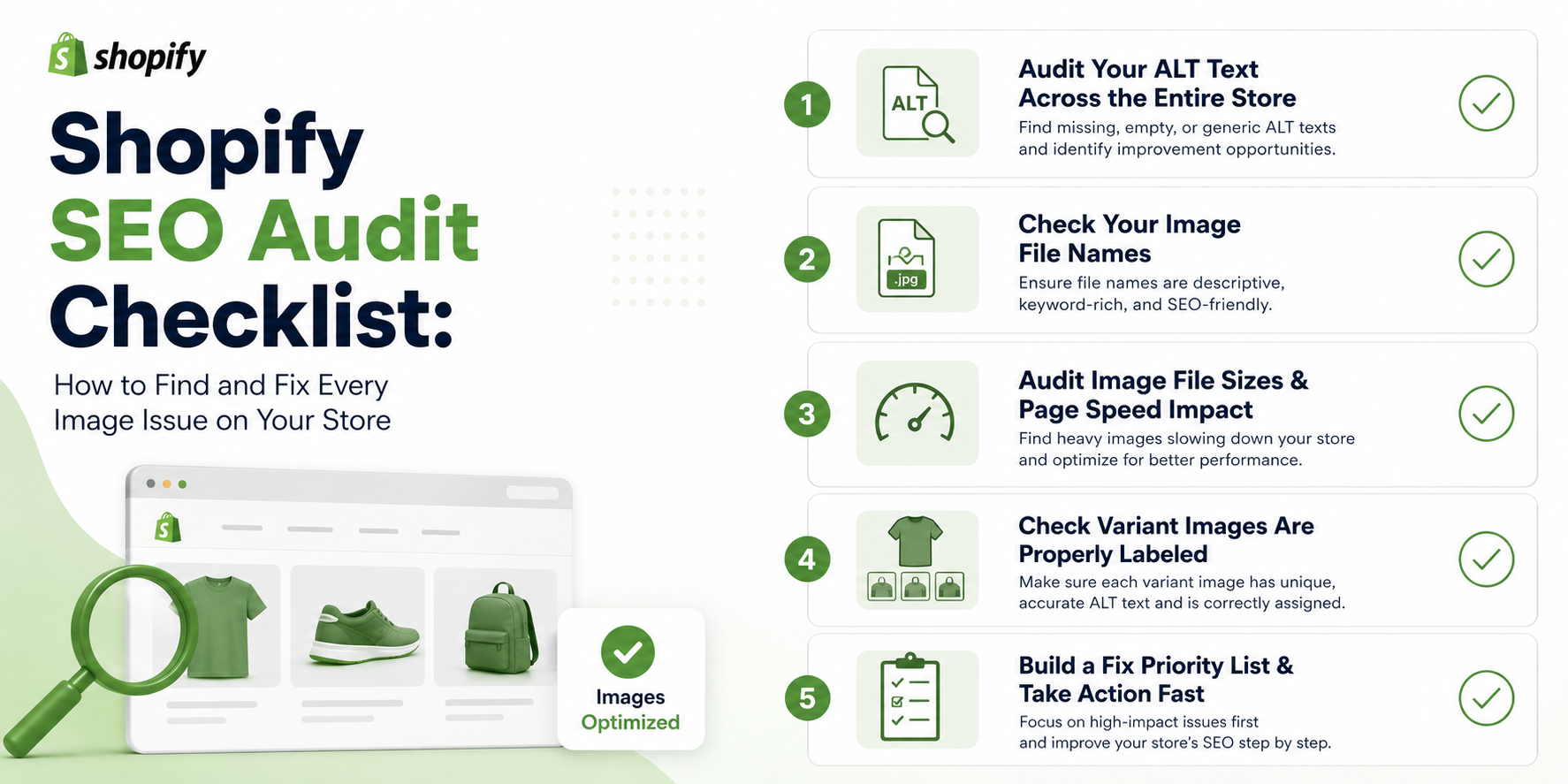
Step 1 - Audit Your ALT Text Across the Entire Store
How to Find Missing & Blank ALT Text
The manual method: go into your Shopify admin, open each product, click each image, and check whether the ALT text field is filled. For a store with 20 products, this takes twenty minutes. For a store with 200 products, it takes most of a day - and you still won't have caught everything on collection pages.
A faster approach is to export your product CSV from Shopify (Admin → Products → Export) and scan the "Image Alt Text" column in a spreadsheet. Every blank cell is a missing ALT text. Filter for blanks, and you have your full list in minutes.
For a deeper scan - including collection images, blog images, and theme assets - tools like Screaming Frog can crawl your entire storefront and flag every image missing an ALT attribute across every page type, not just products.
How to Spot Low-Quality or Keyword-Stuffed ALT Text
Blank ALT text is the obvious problem. But low-quality ALT text is just as common and harder to catch because it looks filled in.
Signs of low-quality ALT text:
- The same description was copied and pasted across multiple product images ("blue shirt" on all six photos of the same product)
- Keyword stuffing ("buy blue linen shirt cheap men fashion online")
- Raw file names used as ALT text ("IMG_5034_final_v2")
- Product title copy-pasted verbatim with no image-specific context
When you're reviewing your CSV export, scan the ALT text column not just for blanks but for repetition. If the same string appears across ten rows, that's low-quality ALT text even if the field isn't technically empty.
This is where manual auditing really breaks down at scale. Reviewing 1,000 ALT text fields in a spreadsheet for quality - not just presence - is genuinely tedious work that most store owners start and abandon. AltMaster automates exactly this: it scans your full catalog, surfaces every image with missing, blank, or repeated ALT text, and lets you fix the entire store in bulk using product-specific template variables. What surfaces as a multi-day spreadsheet project gets done in a single session.
Step 2 - Check Your Image File Names
What Bad File Names Look Like (And How to Fix Them)
Open a handful of your product images in Shopify and check what the actual file names are. What you'll often find:
- IMG_4821.jpg
- DSC_0034_final_v2.png
- product-1.jpg
- unnamed.jpeg
These tell Google nothing. Google's image SEO guidelines are clear that descriptive file names are one of the signals used to understand and index images, and generic camera filenames waste that signal entirely.
The fix: rename every image before it goes into Shopify using the format [product-name]-[color-or-material]-[view].jpg. slate-blue-linen-shirt-front.jpg is right. IMG_4821.jpg is not.
The important caveat: Shopify doesn't update the image URL when you rename a file after uploading. The rename has to happen before the image is uploaded. For existing images with bad file names, you'll need to re-upload them with corrected names - which is worth doing for your top-traffic product pages at a minimum.
Step 3 - Audit Image File Sizes & Page Speed Impact
Uncompressed images are one of the top two causes of slow Shopify stores - the other being too many app scripts. A collection page with 24 products, each with an uncompressed 3MB image, is a page that takes forever to load on mobile and gets penalized for it.
Run your store through Google PageSpeed Insights and look specifically at the "Properly size images" and "Encode images efficiently" recommendations in the results. These will flag the worst offenders by page.
The target: product images under 200KB, compressed to JPEG before uploading. Shopify converts uploaded images to WebP automatically for supported browsers - but it converts from your original file, so uploading a 5MB JPEG still means you're starting from a bloated source. Use TinyPNG or Squoosh to compress before upload.
For exact recommended dimensions by page type - product images, collection banners, hero images - this Shopify image size guide covers every spec so you're uploading the right size from the start.
Step 4 - Check Variant Images Are Properly Labeled
This is the most commonly skipped part of a Shopify image audit. Most stores do a reasonable job on main product images - they have some ALT text, they're reasonably compressed. Variant images are a different story.
When a product comes in six colors, and each color has its own image set, every one of those variant images needs its own specific ALT text. Navy blue slim-fit linen shirt – front view and sage green slim-fit linen shirt – front view are different ALT texts, even though it's the same product. Copy-pasting the same description across all variants is one of the most common low-quality ALT text patterns - and it's almost always the result of variant images being added quickly at upload without the same care as the hero shot.
Go into your Shopify admin and check a few of your best-selling products that have color or material variants. Click through each variant image and check the ALT text field individually. What you find will tell you whether this is a problem worth prioritizing.
Step 5 - Build a Fix Priority List & Take Action Fast
Running an audit only matters if you do something with what you find. Here's how to prioritize:
Fix first - highest traffic pages: Pull your top 20 products by sessions from Google Analytics or Search Console. These pages already have the most to gain from image optimization. Fix their ALT text, file names, and compression first.
Fix second - collection pages: Every product thumbnail on a collection page inherits its image issues from the product. Fixing your top products automatically improves your top collections.
Fix third - everything else: Work through the rest of your catalog systematically - by collection, by product type, or by launch date. Don't try to fix everything at once.
For stores with 100+ products: A manual fix-everything approach isn't realistic in a reasonable timeframe. AltMaster lets you run the ALT text portion of this audit and fix the entire catalog in one session - scanning for gaps, generating descriptions in bulk using template variables, and keeping new products covered automatically as your catalog grows. The file naming and compression work still needs to happen upstream, but the ALT text debt - usually the largest part of the problem - gets resolved fast.
Conclusion
Image SEO audits aren't glamorous. But they're consistently one of the highest-ROI activities available to a Shopify store owner because the issues are so widespread and so fixable. Most stores have hundreds of blank ALT text fields, dozens of generic file names, and at least a handful of pages dragging their speed score down - all sitting there quietly.
Run this checklist once. Build the right habits for new products going forward. The compounding effect of clean image metadata across a full catalog is real - it just takes doing the work once to set it in motion.
FAQs
How often should I run an image SEO audit on my Shopify store?
Once a quarter is a reasonable cadence for most stores. The bigger priority is getting the initial audit done and fixing existing issues - then building a workflow so new products go live with correct ALT text and file names from the start, which reduces how much cleanup each quarterly audit needs to do.
Do variant images need separate ALT text from the main product image?
Yes. Each variant image shows something visually different - a different color, material, or configuration - and the ALT text should reflect that specifically. Copy-pasting the main product ALT text across all variant images is one of the most common low-quality patterns found in Shopify stores, and it's a missed opportunity for both SEO and accessibility.
Can bad image file names actually hurt my Shopify rankings?
Not in a direct penalty sense - but they waste a signal Google actually uses. Descriptive file names help Google understand image content and contribute to image search rankings. Generic camera filenames provide zero signal, which means you're leaving that input blank when a competitor with properly named files is filling it in. At scale, across hundreds of products, that gap adds up.