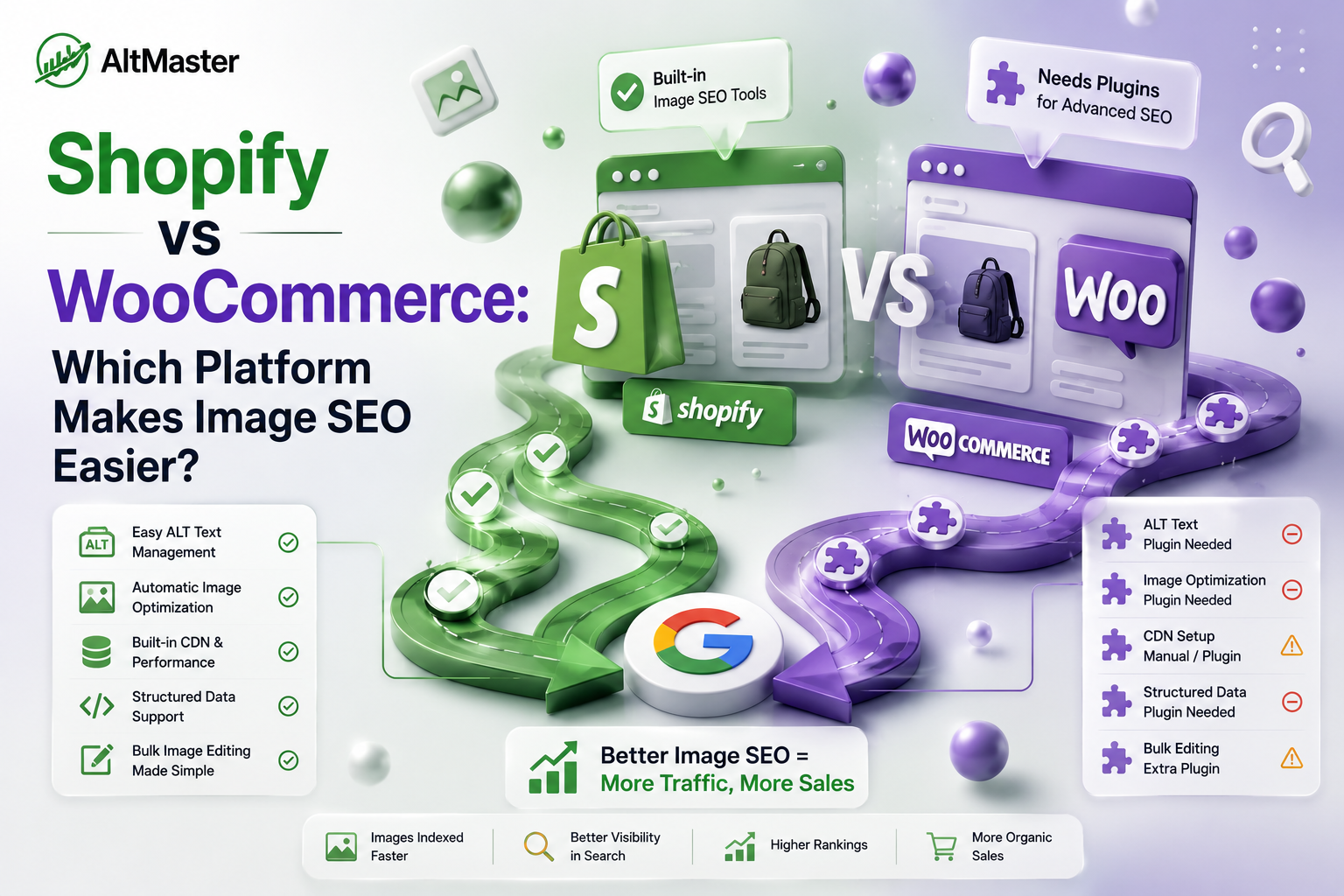
Most Shopify vs WooCommerce comparisons focus on pricing, ease of use, or overall rankings. Those are fair questions. But if image SEO is part of your growth strategy - and for most product-based stores, it should be - neither comparison tells you what you actually need to know: which platform makes it easier to do image SEO right, at scale, without it turning into a technical project?
That's what this is about.
Why Image SEO Should Be Part of Your Platform Decision
Images are the heaviest element on most e-commerce pages and one of the most consistently neglected SEO inputs. ALT text, file names, compression, page speed - all of it affects how Google indexes your products and how fast your store loads on mobile.
The platform you choose determines how much of that is handled automatically, how much requires manual work, and how much needs a developer before you can touch it at all. That's not a minor consideration when you're managing hundreds of product images across a growing catalog.
How Shopify Handles Image SEO Out of the Box
Built-in Image Optimization Features
Shopify's infrastructure does meaningful heavy lifting from the moment you upload an image. It automatically converts JPEG and PNG files to WebP for browsers that support it - WebP is roughly 25–35% smaller than JPEG at equivalent quality - and delivers everything through a global Cloudflare CDN with automatic SSL. You don't configure any of this. It just works.
Shopify achieves a Core Web Vitals pass rate of 65% on mobile, compared to WooCommerce's 44% - and that gap is largely structural. Shopify's floor is high because even a basic store runs on enterprise infrastructure, whereas WooCommerce's performance varies entirely based on the hosting you choose and how well you've configured it.
For exact recommended dimensions and formats for every image type on your Shopify store - product images, hero banners, collection headers - the AltMaster Shopify image size guide for 2026 covers every spec in one place, so you're uploading the right size from the start.
Where Shopify Falls Short on Image SEO
Shopify's automation stops at delivery. It doesn't write ALT text for you, it doesn't rename your files, and it doesn't tell you which images are missing metadata. While Shopify helps with automatic compression and CDN delivery, key optimizations like resizing, ALT text, file naming, and layout-specific image control are still entirely in your hands.
There's also a structural quirk worth knowing: Shopify doesn't update an image's URL when you rename the file after uploading. The file name has to be correct before it goes into your admin, which means any image uploaded with a generic camera filename stays that way unless you re-upload it entirely.
How WooCommerce Handles Image SEO Out of the Box
Plugin-Dependent Flexibility vs. Built-in Simplicity
WooCommerce gives you more control over image SEO than Shopify - but almost none of it comes out of the box. You'll need plugins for WebP conversion, lazy loading, compression, ALT text management, and bulk file renaming. Plugins like Yoast SEO, Rank Math, and ShortPixel handle these well, but each one adds configuration overhead and introduces potential plugin conflicts.
The upside of this model is genuine flexibility. WooCommerce lets you control URL structures, edit robots.txt directly, and build custom category logic that Shopify doesn't allow. For a developer-supported team with specific technical SEO requirements, that flexibility is real.
Where WooCommerce Falls Short on Image SEO
The floor is lower. A WooCommerce store on basic shared hosting can produce mobile PageSpeed scores in the 35–55 range, while a comparable Shopify store sits at 65–80, purely because of infrastructure differences. Getting WooCommerce to perform at Shopify's level requires managed hosting, a CDN configuration, and a caching plugin stack - none of which are free or self-configuring.
Plugin conflicts are also a genuine risk. Each SEO or image optimization plugin adds to the PHP execution time. When they interact poorly, the result is either broken functionality or degraded performance that's difficult to diagnose without developer involvement.
Head-to-Head: ALT Text, File Names & Page Speed
| Shopify | WooCommerce | |
| WebP conversion | Automatic | Plugin required |
| Global CDN | Built-in (Cloudflare) | Manual setup required |
| Mobile Core Web Vitals pass rate | 65% | 44% |
| ALT text management | Manual per image | Manual or plugin-assisted |
| Bulk file renaming | Re-upload required | Plugin-assisted |
| Technical SEO control | Limited | Full |
Page speed is where Shopify wins decisively and consistently. ALT text management is where both platforms require deliberate work, just in different ways.
Managing ALT Text at Scale on Both Platforms
This is where the real gap lives, and it's not the one most people expect. On WooCommerce, plugins like Yoast SEO or dedicated ALT text tools let you manage image metadata at scale directly in the WordPress dashboard. There's more native flexibility for bulk operations, and the plugin ecosystem is mature.
On Shopify, the native admin only allows ALT text to be edited for one image at a time. For a store with 200 products and 5 images each, that's 1,000 individual edits - with no bulk editing available through the default interface. This is Shopify's most significant image SEO gap and the one that catches store owners off guard most often. The full picture of how this shows up across a store's indexing is covered in - Why Shopify product images become invisible to Google and how to fix it.
This is exactly where AltMaster closes the gap. It scans your full Shopify catalog, surfaces every image with missing or low-quality ALT text, and lets you generate descriptions in bulk using template variables - product name, color, material, variant - so each image gets a specific, human-sounding description in minutes rather than days. For ALT text at scale, it makes Shopify not just competitive with WooCommerce, but faster to fix comprehensively. Once you know what good ALT text looks like for each image type, the AltMaster guide to writing SEO-optimized ALT text for Shopify product images covers every format with ready-to-use templates.
Which Platform Should You Choose for Image SEO?
Choose Shopify if: you want strong image delivery performance from day one without configuring infrastructure, and you're comfortable using an app to handle bulk ALT text management. The technical floor is higher, the setup time is lower, and the image delivery pipeline is genuinely solid out of the box.
Choose WooCommerce if: you have developer support, specific technical SEO requirements that Shopify's locked URL structure won't accommodate, or you're running a content-heavy store where WordPress's editorial flexibility matters as much as product SEO. With the right hosting and plugin stack, WooCommerce can match or exceed Shopify's image SEO capabilities - but getting there requires investment and ongoing maintenance that Shopify simply doesn't.
The honest summary from the data: WooCommerce wins for content-led SEO; Shopify wins for product-led and AI-visible SEO - and in 2026, the Shopify side of that equation is growing faster.
Conclusion
Neither platform handles image SEO perfectly out of the box. Shopify handles delivery and performance automatically, but leaves ALT text and file naming entirely to you. WooCommerce gives you more control but demands more setup, more maintenance, and usually more developer time to reach the same performance baseline.
For most product-based stores - especially those without a dedicated developer - Shopify's infrastructure advantages and the availability of dedicated tools like AltMaster for the ALT text gap make it the more practical choice for image SEO at scale. For stores with complex technical SEO needs and developer support, WooCommerce's flexibility is genuinely worth the overhead.
The platform matters. What you do with it matters more.
FAQs
Does Shopify automatically optimize images for SEO?
Partly. Shopify automatically converts images to WebP, delivers them via a global CDN, and handles compression from your uploaded file. What it doesn't do is write ALT text, rename files descriptively, or flag which images are missing metadata. Those remain manual tasks unless you use a dedicated app like AltMaster's bulk ALT text generator for Shopify stores.
Can WooCommerce beat Shopify for image SEO with the right plugins?
Yes, on technical control - WooCommerce with a strong plugin stack gives you more granular control over every image SEO input. But the baseline performance gap is real: Shopify's managed infrastructure delivers a 65% Core Web Vitals pass rate on mobile versus WooCommerce's 44%, and closing that gap on WooCommerce requires managed hosting and ongoing maintenance that Shopify handles automatically.
What is the biggest image SEO advantage Shopify has over WooCommerce?
Consistent, infrastructure-level page speed and automatic WebP delivery - without any configuration. Every Shopify store gets the same CDN and performance baseline regardless of technical setup. WooCommerce can match it, but only with deliberate hosting, caching, and CDN decisions that many store owners never make.