Most e-commerce advice treats product photography and SEO as two completely different conversations. Photography is a creative topic. SEO is a technical one. So they get covered separately, by different people, in different articles.
But here's the thing - your product images are doing both jobs at the same time. A blurry, inconsistent photo loses the sale. A properly named, compressed, ALT-tagged image wins traffic. Get both right, and you have a compounding advantage. Get one wrong, and the other suffers.
This guide covers the full picture, from how to shoot to how to optimize - in one flow.
Why Product Photography Is Both a Sales and SEO Tool
Shopify's own data indicates that 75% of shoppers consider product photos "very important" when making a buying decision, ranking higher than reviews and product descriptions. That's the sales side. On the SEO side, every image you upload is either a signal Google can read or noise it has to ignore. Lumepixa
The good news is that the decisions that make photography better for customers - more angles, specific detail shots, consistent framing - also make images better for search. More images mean more ALT text opportunities. Better detail shots mean more specific, keyword-rich descriptions. It's one effort, two returns.
The Right Way to Shoot Shopify Product Photos
Lighting, Background & Angles That Convert
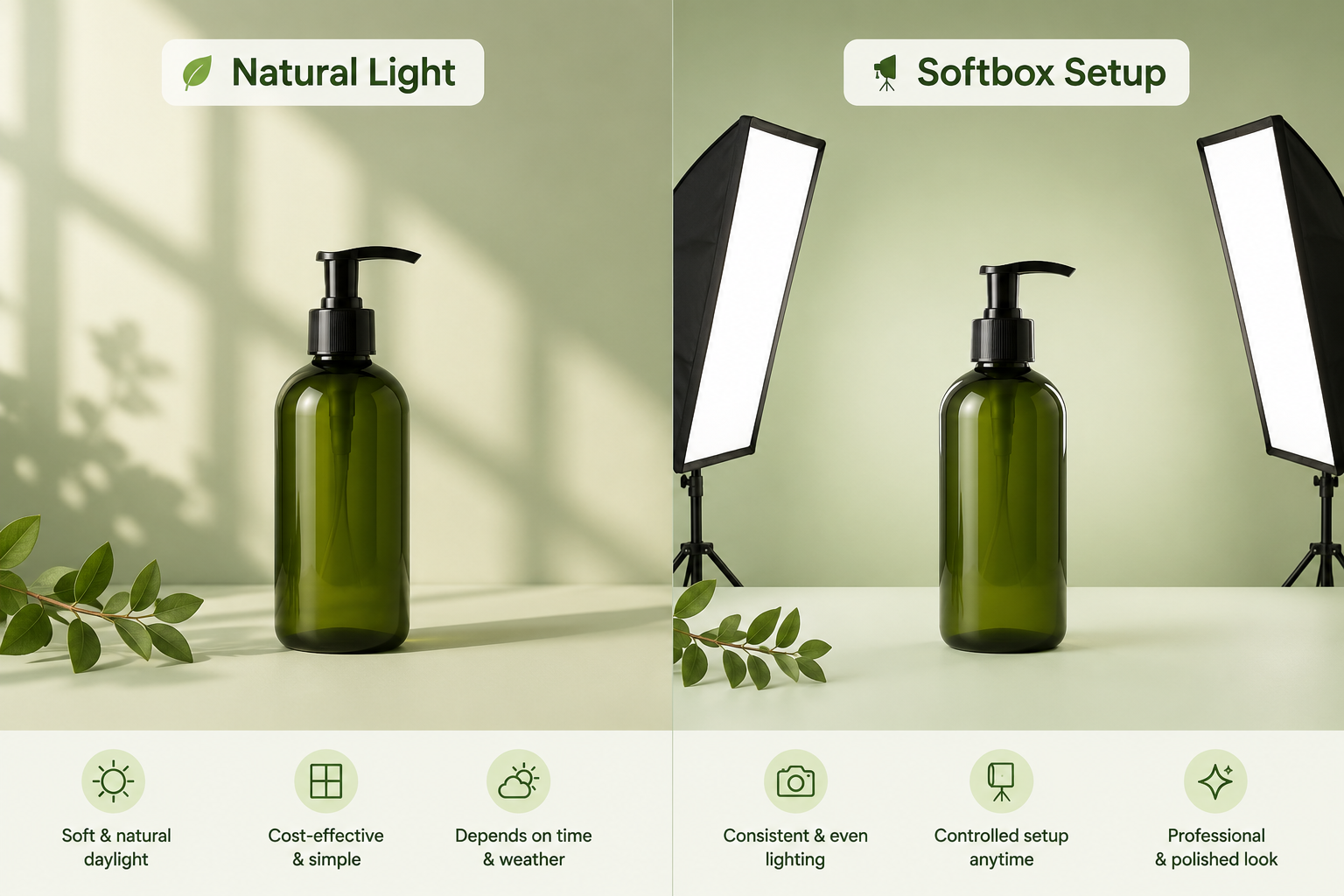
You don't need an expensive studio. You need good light and a consistent setup you can repeat.
Natural window light is still the best starting point — position your setup at a 90-degree angle to your window, and the closer and larger the window, the softer your light. Turn off all other lights in the room to avoid contaminating the set, a detail that according to Shopify's product photography guide, trips up a lot of beginners. If you're shooting on a cloudy day or in the evenings, a pair of LED softbox lights ($30–50) positioned at 45-degree angles on either side of the product gives you consistent, shadow-free results.
For backgrounds: clean, neutral backgrounds (white, light gray, soft gradients) keep the focus on your product and create a professional, consistent catalog appearance. Use white for your main hero shots. Lifestyle shots can use textured surfaces or real-world settings - but keep it consistent across your catalog. Mismatched backgrounds on a collection page look amateurish and erode trust before a customer even clicks a product.
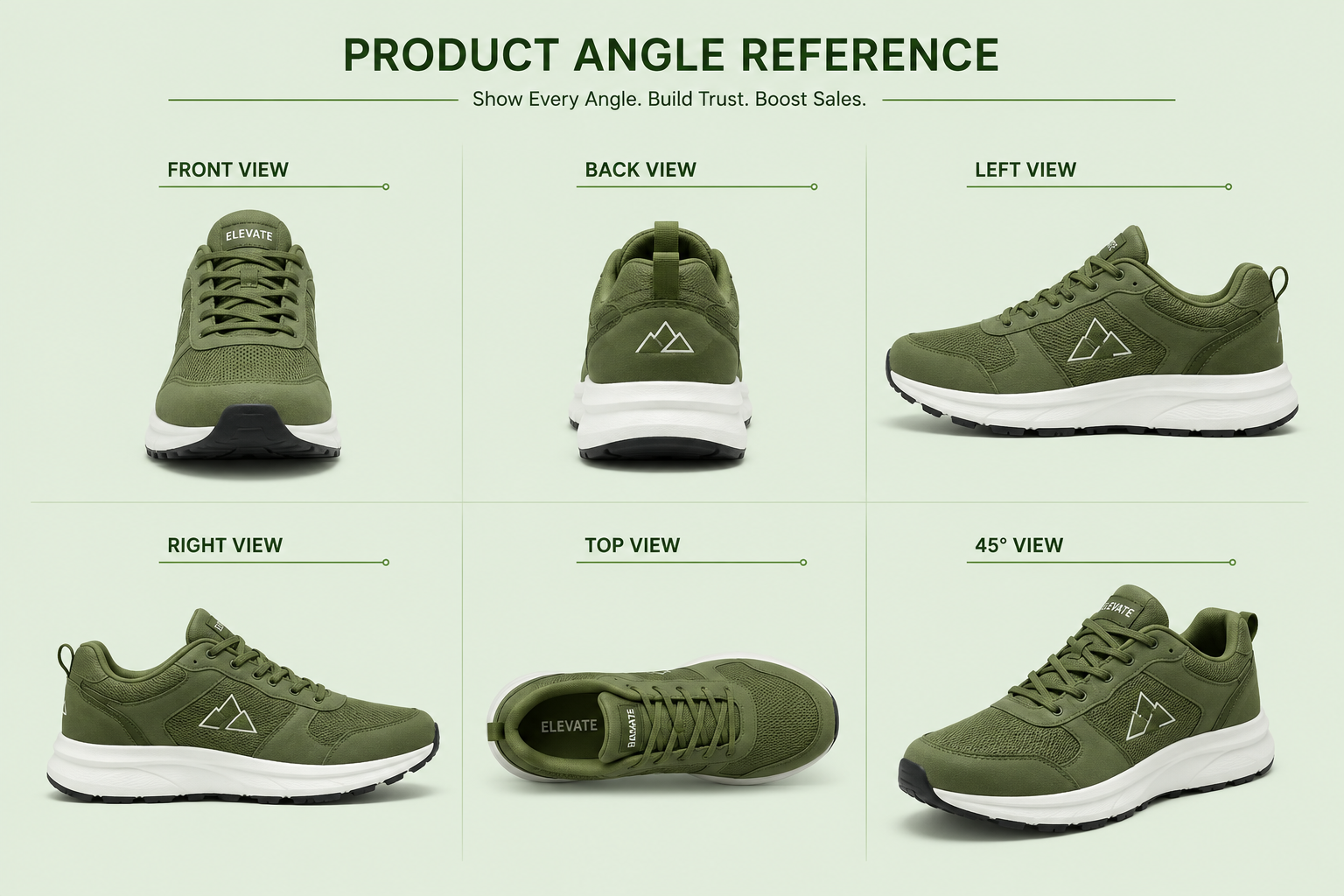
For angles: shoot front, back, both sides, a top-down or 45-degree view, 2–3 detail close-ups showing material and craftsmanship, and at least one lifestyle or in-use shot. That's your base set.
How Many Images Per Product Do You Actually Need
Research shows that products with 5–8 images have significantly higher conversion rates than those with fewer. Shopify allows up to 250 images per product - quality matters more than quantity.
The practical answer is 5–7 per product at minimum: one clean hero shot, two to three angle shots, one or two detail close-ups, and one lifestyle image. For higher-priced products or anything with notable material or craft quality, go deeper. Every additional image is another chance to answer a question that would otherwise remain unanswered.
Image Settings That Affect SEO Before You Upload
File Format: WebP vs JPEG vs PNG
The short answer: JPG works brilliantly for most product photography because it compresses well without noticeable quality loss - ideal for photos with gradients, shadows, and complex color variations. PNG shines when you need transparency. Shopify automatically converts images to WebP for browsers that support it when you upload JPG or PNG files.
So upload JPEG for product photos, PNG for logos and transparent backgrounds, and let Shopify handle the WebP conversion automatically. Don't upload WebP directly - Shopify's own conversion is already optimized for delivery.
For a full breakdown of recommended dimensions and formats for every image type on your store - hero banners, collection images, blog headers - this Shopify image size guide covers every spec in one place.
File Size, Compression & Page Speed Impact
Optimize images for the web to under 200KB and target 2048×2048px for product images. That's the sweet spot - sharp enough for zoom on product pages, small enough not to kill your page speed. A collection page with twelve uncompressed images easily becomes a 60MB page load, driving mobile shoppers away before they've seen anything.
Compress before you upload using TinyPNG or Squoosh - both free, both fast. Run your store through Google PageSpeed Insights once your catalog is live to catch anything that slipped through.
How to Optimize Product Images After You Upload
File Naming Rules That Help You Rank
Rename every image before it goes into Shopify. The URL Shopify assigns to an image is based on the filename at the time of upload - it doesn't update if you rename it later.
The format that works: [product-name]-[color-or-material]-[view].jpg
- slate-blue-linen-shirt-front.jpg ✅
- IMG_5038_v2_final.jpg ❌
Use hyphens, not underscores. Include your primary keyword near the front. Keep it descriptive but not stuffed. Google's image guidelines confirm descriptive file names are a meaningful signal - and unlike most SEO tasks, this one takes seconds per image if you build it into your pre-upload workflow.
Writing ALT Text That Works for Search & Sales
ALT text is what Google reads when it crawls your product images. Without it, every image is invisible to search - you're missing Google Images traffic entirely, and AI shopping tools like ChatGPT and Perplexity are skipping your products when building recommendations.
The formula: product name + color or material + view or context, in one natural sentence.
- Slate blue linen shirt – slim fit – front view ✅
- Women's ceramic mug with speckled glaze – 12oz – lifestyle shot ✅
- shirt blue buy now fashion ❌
Write different ALT text for each image in the set - your hero shot gets the full product description, detail shots describe the specific feature shown, lifestyle shots describe who's using it and how. For a full walkthrough of how to add ALT text in Shopify - both manually and at scale - this step-by-step guide covers it all.
If you have more than 50 products, manual ALT text isn't realistic.
A store with 100 products and 5 images each has 500 individual ALT text fields. At 30 seconds each, that's over four hours - before accounting for new products. AltMaster was built for exactly this: it scans your catalog, flags every missing or weak ALT text, and generates descriptions in bulk using template variables - product name, variant, color, material - so each image gets unique, specific ALT text in minutes. You can also see how ALT text generation works if you want to understand what goes into getting it right versus generic.
Common Product Image Mistakes That Kill Conversions & Rankings
Inconsistent backgrounds across the catalog. One product on white, the next on gray, another lifestyle-only - your collection grid looks like five different stores stitched together. Pick a standard and stick to it for all hero shots.
Uploading uncompressed files. A beautiful 8MB product image is still an 8MB problem for your page speed. Compress everything before it touches the Shopify admin.
Using the same image across all variants. If you sell a t-shirt in six colors and every variant shows the same white shirt, you're creating confusion and losing the SEO opportunity of having variant-specific images with specific ALT text. Shopify allows unlimited images per product - use that to your advantage.
Skipping detail shots on premium products. If your product costs more than $50, customers want to see the materials, stitching, hardware, and finish. Detail shots reduce purchase hesitation and return rates - and give you more images to optimize.
Leaving ALT text blank on launch day. Every day your images are live without ALT text is a day Google is indexing your products with missing metadata. It compounds silently until you fix it.
Conclusion
Product photography and image SEO aren't separate checklists - they're the same workflow done right. Shoot with consistency and intention. Format and compress before you upload. Name files descriptively. Write ALT text for every image. And build a system for the scale problem so it doesn't become the reason none of it gets finished.
The stores that do this from the start don't have to retrofit it later. That alone is worth the setup time.
FAQs
What image size is best for Shopify product pages?
2048×2048px at under 200KB is the target - sharp enough for zoom functionality and small enough to load fast. Square (1:1) works across all Shopify themes without cropping issues. Compress to JPEG before uploading and let Shopify's automatic WebP conversion handle the rest. Lumepixa
Does image quality affect my Shopify store's SEO ranking?
Directly through page speed - large, uncompressed images slow your store, and Google treats page speed as a ranking signal. Indirectly through ALT text and file names, which are direct image SEO inputs. High-quality images with proper optimization give you both the sales conversion and the search signal.
Should I use the same image for all product variants?
No. Each color, material, or variant ideally gets its own image set - or at minimum its own hero shot. This gives customers an accurate preview of what they're buying and gives each variant page its own image SEO opportunity with variant-specific ALT text. It also reduces returns from customers who expected a different color than the one they received.