Most Shopify stores chase the same keywords. "Women's linen shirt." "Ceramic coffee mug." "Leather wallet." These are fine targets - but they're also the most competitive searches in every niche, fought over by stores with much larger domain authority and ad budgets.
The more interesting opportunity is one level deeper. The shopper who types "women's relaxed-fit linen shirt in sage green for summer" isn't browsing. They know what they want, they're ready to buy, and they're searching in a way that most stores aren't optimized for at all.
That's where long-tail SEO lives - and your product image ALT text is one of the most underused tools for capturing it.
Why Long-Tail Keywords Are a Goldmine for Shopify Stores
According to Backlinko's analysis of 306 million keywords, 91.8% of all search queries are long-tail keywords. That's not a niche slice of search traffic - it's the overwhelming majority of how people actually search. And long-tail keywords convert at an average rate of 36%, nearly 2.5 times higher than short-tail alternatives - because specificity in a search query almost always signals intent to buy, not intent to browse. shopifyObsess AI
For smaller Shopify stores, this gap is an opportunity. Competition for long-tail keywords can be up to 60% lower than for broad short-tail terms - the big brands are fighting over "running shoes," not "running shoes for men with wide flat feet in navy blue." That specific search is winnable for a focused product store in a way that the broad term never will be. Testparty
The question is how to capture those searches systematically - and that's where ALT text becomes a surprisingly powerful tool.
What Makes ALT Text a Perfect Long-Tail SEO Opportunity
How Specific ALT Text Matches Buyer-Intent Searches
When someone searches "handmade ceramic coffee mug with speckled glaze 12oz," they're not looking for your homepage or your collection page - they're looking for a product image that matches what they have in their head. Google Images is increasingly a product discovery channel for exactly these kinds of specific, visual searches.
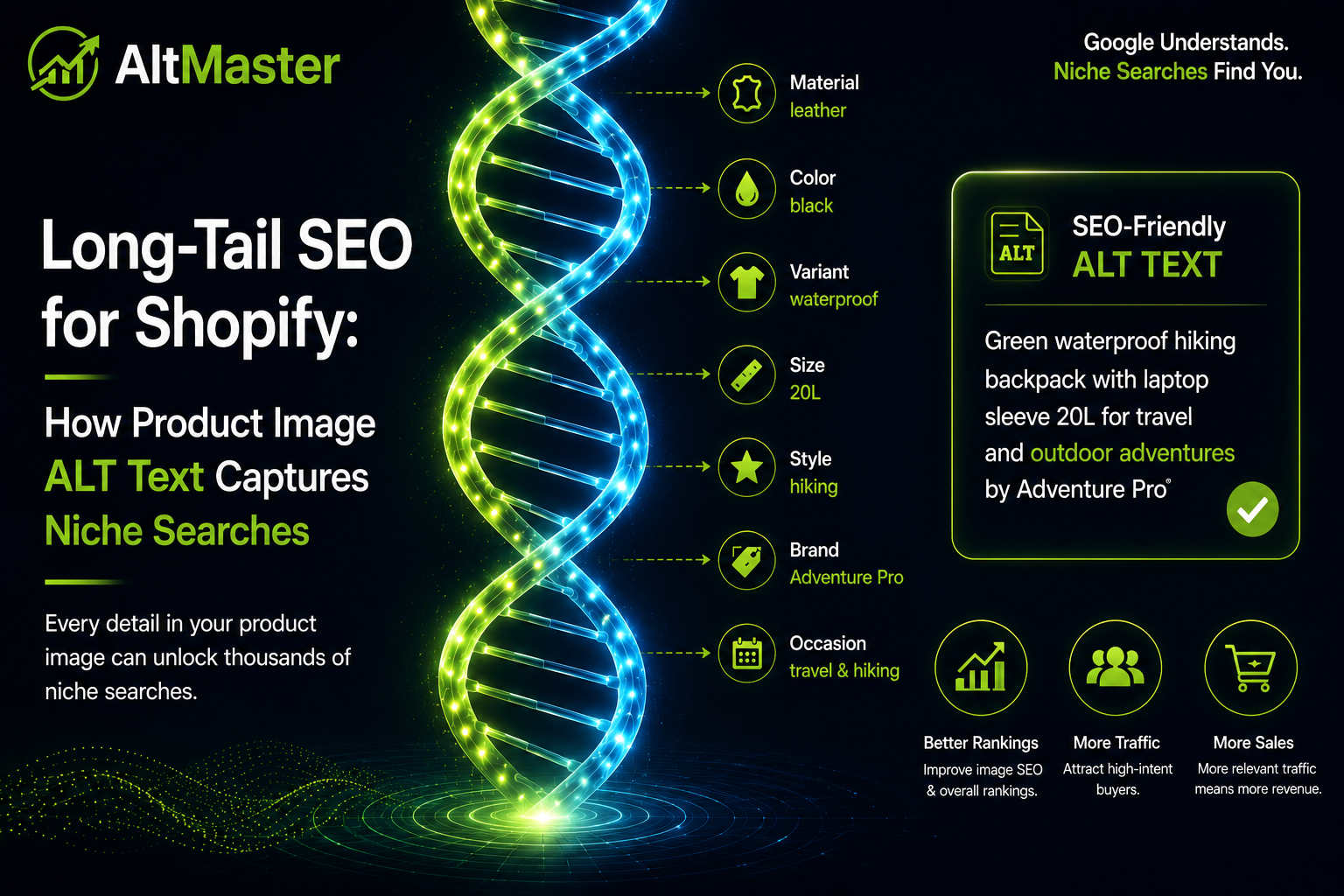
Your product description might mention the glaze. Your title tag might mention ceramic. But the image ALT text is where all those specific descriptors - material, finish, size, color, use case - can exist in one place, in the exact combination a buyer-intent searcher is typing.
A generic ALT text like mug captures none of that. A specific one, like a handmade ceramic coffee mug with speckled off-white glaze - 12oz - top-down view, can show up for three or four different long-tail searches simultaneously, all from a single image.
Why ALT Text Reaches Keywords Your Pages Can't Target Alone
A product page can realistically target one or two primary keyword phrases before the copy starts feeling forced. ALT text operates differently - each image on the page is an independent signal, and a product with five images has five separate ALT text fields, each capable of carrying slightly different descriptive language.
That's five additional keyword targets per product page, sitting in the metadata layer where they reinforce the page's relevance without competing with the copy for the primary keyword focus. This is also exactly why AI shopping assistants like ChatGPT and Perplexity surface some products and skip others - they're reading indexed text descriptions of your images, and stores with specific, varied ALT text across all their product photos give those systems far more to match against conversational, long-tail queries.
How to Find the Right Long-Tail Keywords for Your Product Images
Using Product Variants, Materials & Use Cases as Keyword Triggers
The best long-tail ALT text keywords are already sitting in your product data - you just need to combine them deliberately.
Variants are the most obvious source. If you sell a shirt in eight colors, each color variant has a specific long-tail search audience. Someone searching "linen shirt in dusty rose" is a different person than someone searching "linen shirt in forest green." Your variant images are the natural home for those color-specific ALT texts.
Materials narrow the search in a different direction. "Ceramic," "hand-thrown," "speckled glaze," "food-safe" - these terms appear in the searches of shoppers who care about what something is made of and how. If that information is in your product description but not your ALT text, you're missing those searches at the image level.
Use cases and settings capture a third category of long-tail search. "Coffee mug for camping," "linen shirt for beach holiday," "leather wallet slim fit for travel" - these are how buyers describe their situation, not just the product. Lifestyle images are where this kind of ALT text fits most naturally.
Free & Simple Tools to Find Niche Search Terms
You don't need a paid SEO tool to find good long-tail keyword targets for your ALT text. Start here:
Google Autocomplete: Type your main product keyword into Google and look at what the dropdown suggests. Every suggestion is a real search query with real volume. ceramic mug autocompletes into "ceramic mug handmade," "ceramic mug with lid," "ceramic mug set of 4" - each one a potential ALT text direction.
Google's "People Also Search For" and "Related Searches": Scroll to the bottom of any search results page, and you'll find related queries your customers are actually using. These are consistently more specific than the head term and often directly applicable to image ALT text.
Google Keyword Planner (free with a Google account): Enter your main product terms and filter for lower-volume, higher-specificity suggestions. The long-tail terms with 10–100 monthly searches are exactly what you're looking for - enough volume to be worth targeting, low enough competition that a well-optimized image can rank for them.
Your own search console data: In Google Search Console, look at the queries driving impressions to your product pages but not many clicks. These are often long-tail terms Google already associates with your products that you're not yet fully optimized for - and adding them to relevant ALT texts can move you from position 8 to position 3 for those queries.
How to Write Long-Tail ALT Text That Converts - Not Just Ranks
Templates for Long-Tail ALT Text by Product Type
The goal is ALT text specific enough to capture long-tail searches while still reading naturally for accessibility purposes. These templates thread that needle:
Apparel with variants: {product_name} in {color} - {fit or style descriptor} - {occasion or use case} Example: Linen shirt in sage green - relaxed fit - women's summer holiday
Home goods with material specificity: {product_name} - {material} - {key feature} - {size or capacity} Example: Coffee mug - hand-thrown ceramic - speckled off-white glaze - 12oz
Accessories with use case: {product_name} in {material} - {key feature} - {ideal user or use case} Example: Bifold wallet in full-grain leather - 6 card slots - slim fit for travel
Lifestyle and in-use images: {person or subject} using {product_name} in {setting or context} Example: Woman wearing sage green linen shirt on a sunlit terrace
For a deeper breakdown of how to structure these templates across every image type on your store - hero shots, detail images, variant swatches, lifestyle photography - the AltMaster guide to writing SEO-optimized ALT text for Shopify product images with ready-to-use templates covers every format in detail.
Once your templates are built, applying them manually product by product isn't realistic at scale. AltMaster takes the template variables above - product title, variant color, material, product type, use case tags - and runs them across your entire catalog automatically, so every product and variant image gets a specific, long-tail-optimized description without a single manual edit. A store with 200 products and 5 images each gets complete, consistent ALT text coverage in minutes rather than days.
The Biggest Long-Tail ALT Text Mistakes Shopify Stores Make
Using only the product title. Men's Linen Shirt - front view tells Google what the product is called. It doesn't tell Google what color it is, what it's made of, how it fits, or who it's for - and it misses every long-tail search that includes those descriptors.
Ignoring variant images entirely. This is one of the most common SEO mistakes Shopify store owners make without realizing it - the main product image gets decent ALT text, but the six color variant images all get the same description copy - pasted. Each variant image is a separate opportunity to rank for a color-specific or material-specific long-tail search. Wasting all six on the same description leaves most of that opportunity untouched.
Writing for Google instead of the shopper. Long-tail ALT text should describe what's actually in the image - specifically and naturally. Women's relaxed linen shirt sage green, summer holiday beach isn't ALT text, it's a keyword list. Google can tell the difference, and so can a screen reader user who hears it read aloud. Write a descriptive sentence. The keywords will be in there naturally.
Using the same template for every image type. A hero shot, a detail shot, and a lifestyle image show three different things. They should have three different ALT texts - not the same formula applied blindly to all three. The lifestyle image especially benefits from use-case language (woman wearing sage green linen shirt on a sunlit terrace) that doesn't fit a standard product description template.
Targeting keywords with no buyer intent. Long-tail doesn't automatically mean high-converting. What a linen shirt is made of is a long-tail query, but it's an informational search - the person isn't buying, they're researching. Target long-tail phrases that include product specifics, variants, materials, or use cases, not questions or educational terms. Those belong in your blog content, not your product image ALT text.
Conclusion
Long-tail keywords are where Shopify stores without massive domain authority can actually compete and win - and product image ALT text is one of the most consistently overlooked surfaces for capturing them. Every variant image, every detail shot, every lifestyle photo is an opportunity to rank for a specific, buyer-intent search that a broad product title will never cover.
Build your templates around the variables that already live in your product data - colors, materials, use cases, and settings. Apply them consistently across your full catalog. And make sure variant images get their own specific descriptions, not the same copy pasted five times. The cumulative effect of getting this right across hundreds of product images is real and measurable - it just requires treating ALT text as a keyword opportunity, not a checkbox.
FAQs
How long should a long-tail ALT text be for a product image?
One clear, specific sentence - typically 10–20 words. Long enough to include the product name, a variant or material descriptor, and a context or view. Short enough to read naturally when a screen reader announces it. Shopify allows up to 512 characters, but staying under 125 keeps it focused. The goal isn't length - it's specificity.
Can I use the same long-tail keyword in ALT text across multiple product images?
Only if those images actually show the same thing. A hero shot and a detail shot of the same sage green linen shirt can both mention "sage green linen shirt" - but the detail shot should add something specific to that image ("stitching detail," "collar close-up") rather than repeating the hero shot description verbatim. Identical ALT text across multiple images on the same page is a thin content signal that Google notices.
Do long-tail ALT texts work better for collection pages or product pages?
Product pages - specifically variant images - are where long-tail ALT text has the most impact, because the specificity of the description matches the specificity of buyer-intent searches at the product level. Collection page thumbnails benefit from ALT text too, but the long-tail opportunity is shallower there since collection pages target broader category searches rather than specific product queries. Start with your product variant images and work outward from there.